Sharing Maps
You can share a map with anyone, even if they're not a part of your team and don't have access to a Scopomap account. This is great for confirming a catchment or distribution area with clients.
How to share a map
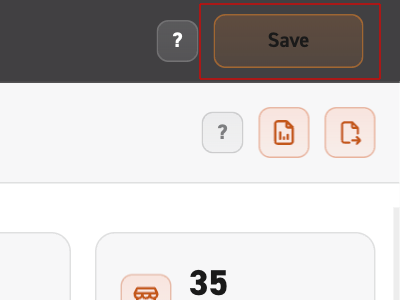
1. Save your map
If you want to share a map, make sure you save it first by clicking the button in the top right.
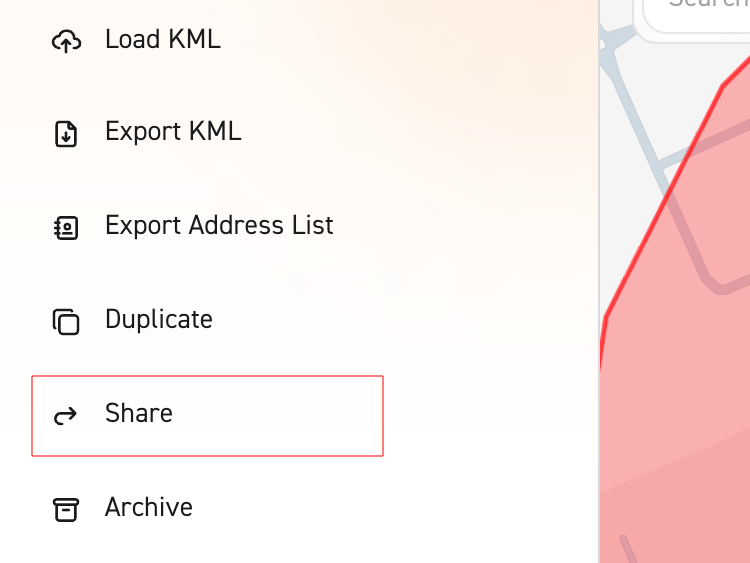
2. Share from side menu
Click on the "Share" button from the side menu. Additionally, you could navigate to the map library and share a map from there.
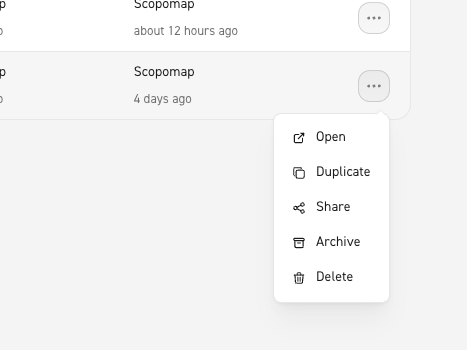
3. Share from Map Library
Scroll through the list or search for the map you wish to share. Once found, click on the three dots to open up the menu. Select “share”.
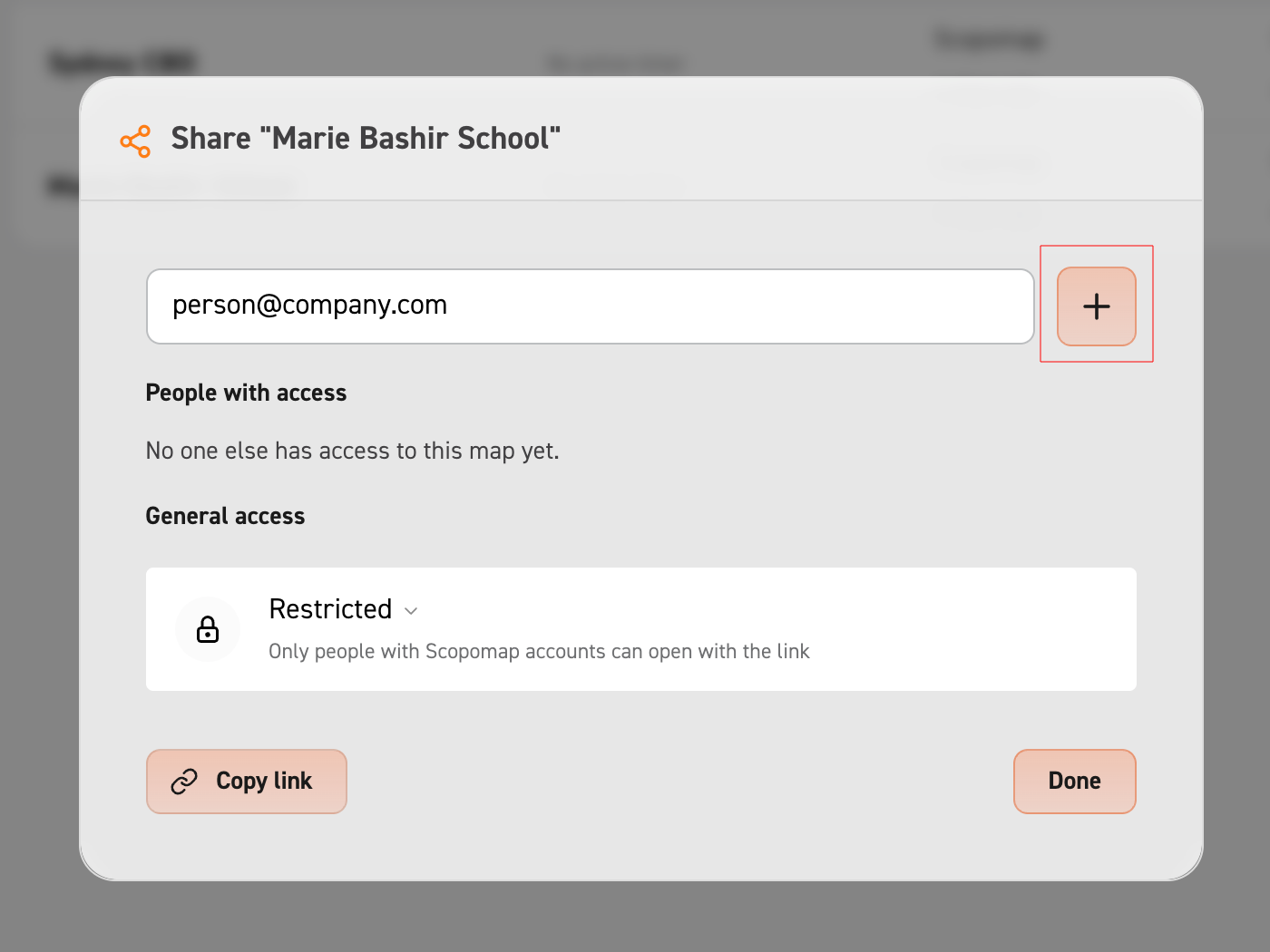
4. Add a recipient
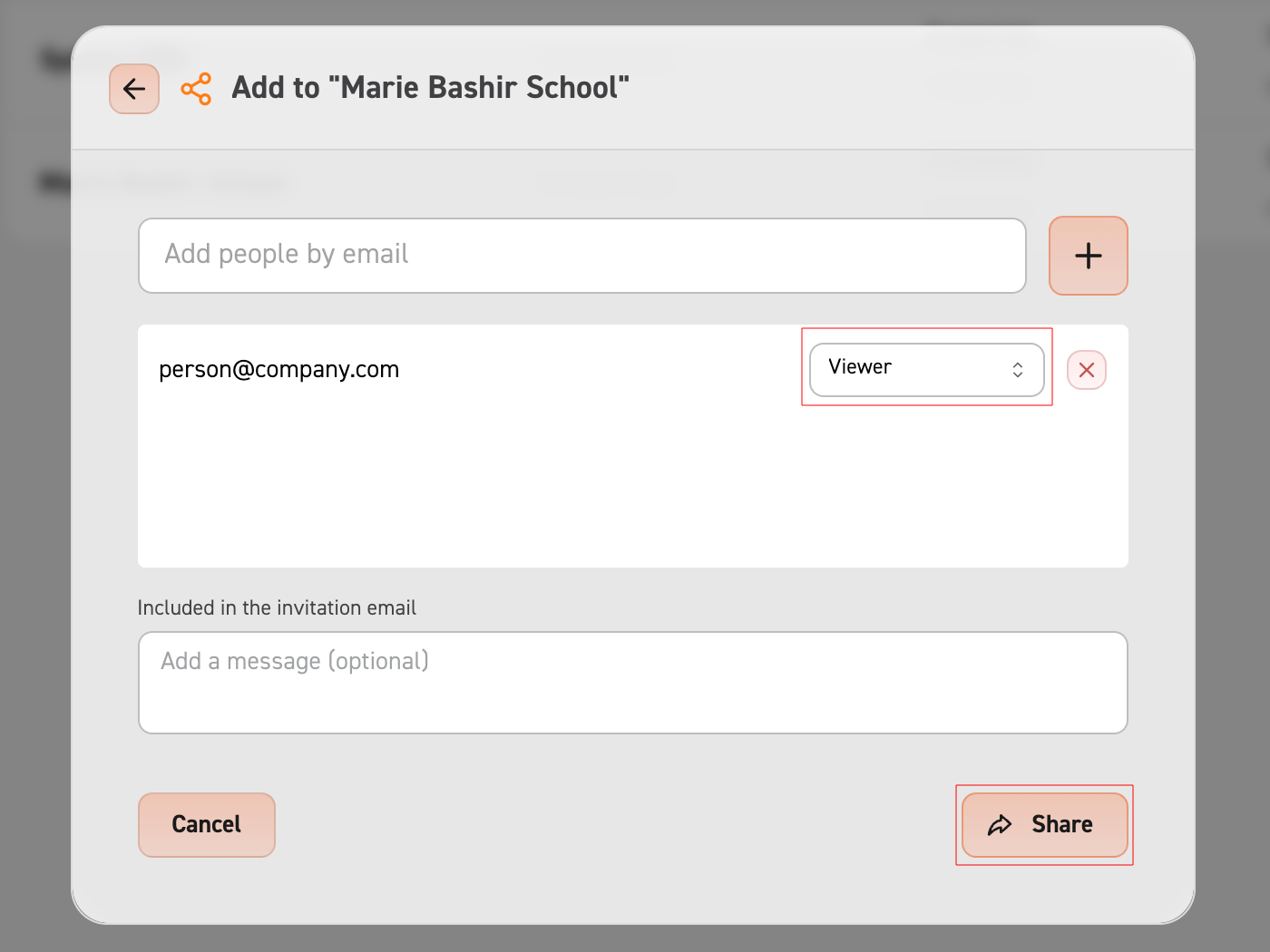
Once the share modal is open, fill out the details and then select "Share". Make sure to press the green check to add a recipient.
5. Share the map
You can optionally change the role of the recipient before sharing. Once you have added and updated the roles of your recipients and optionally added your message, press the share button at the bottom to send your map.
Additional: Change access level
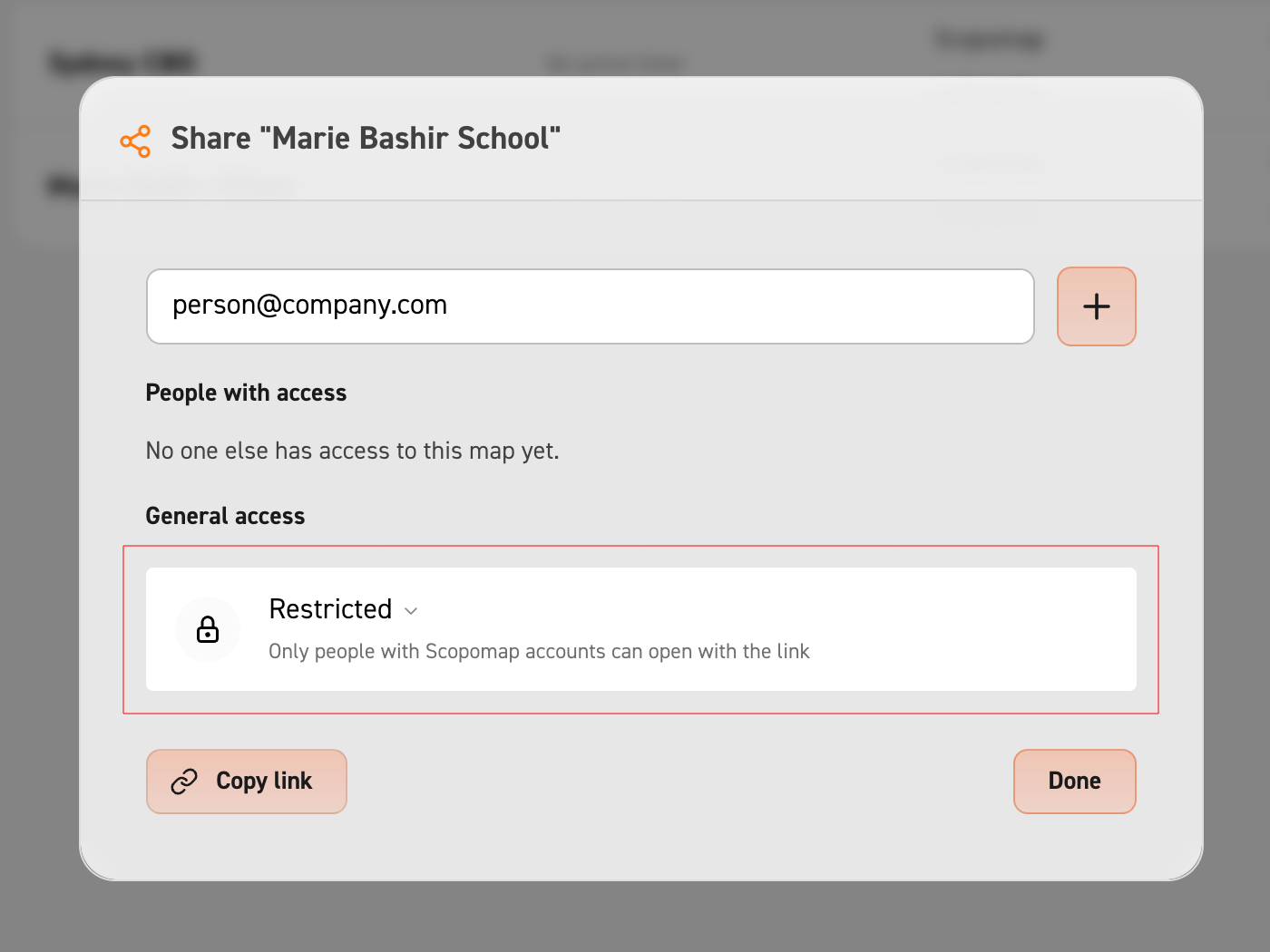
You can change the access level to the map by clicking on the drop down menu near the bottom of the modal.
Restricted access = Only people with Scopomap accounts will be able to open and see this map.
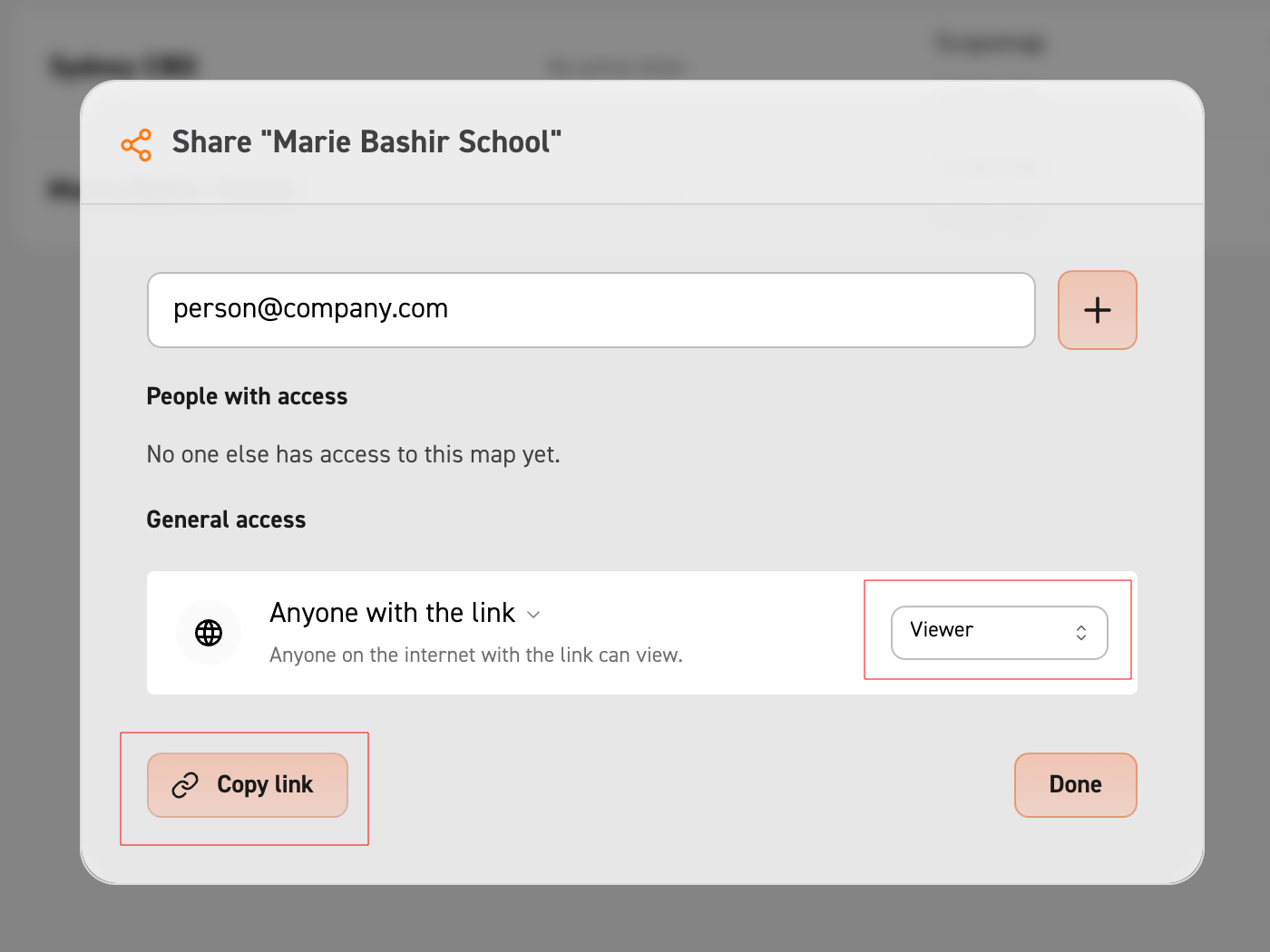
Anyone with link = Anyone who has the link (no Scopomap account required) can open and see this map.
Restricted access = Only people with Scopomap accounts will be able to open and see this map.
Anyone with link = Anyone who has the link (no Scopomap account required) can open and see this map.
Additional: Share with permissions
With the "Anyone with link" option, you can set the user's permissions from the drop down menu on the side.